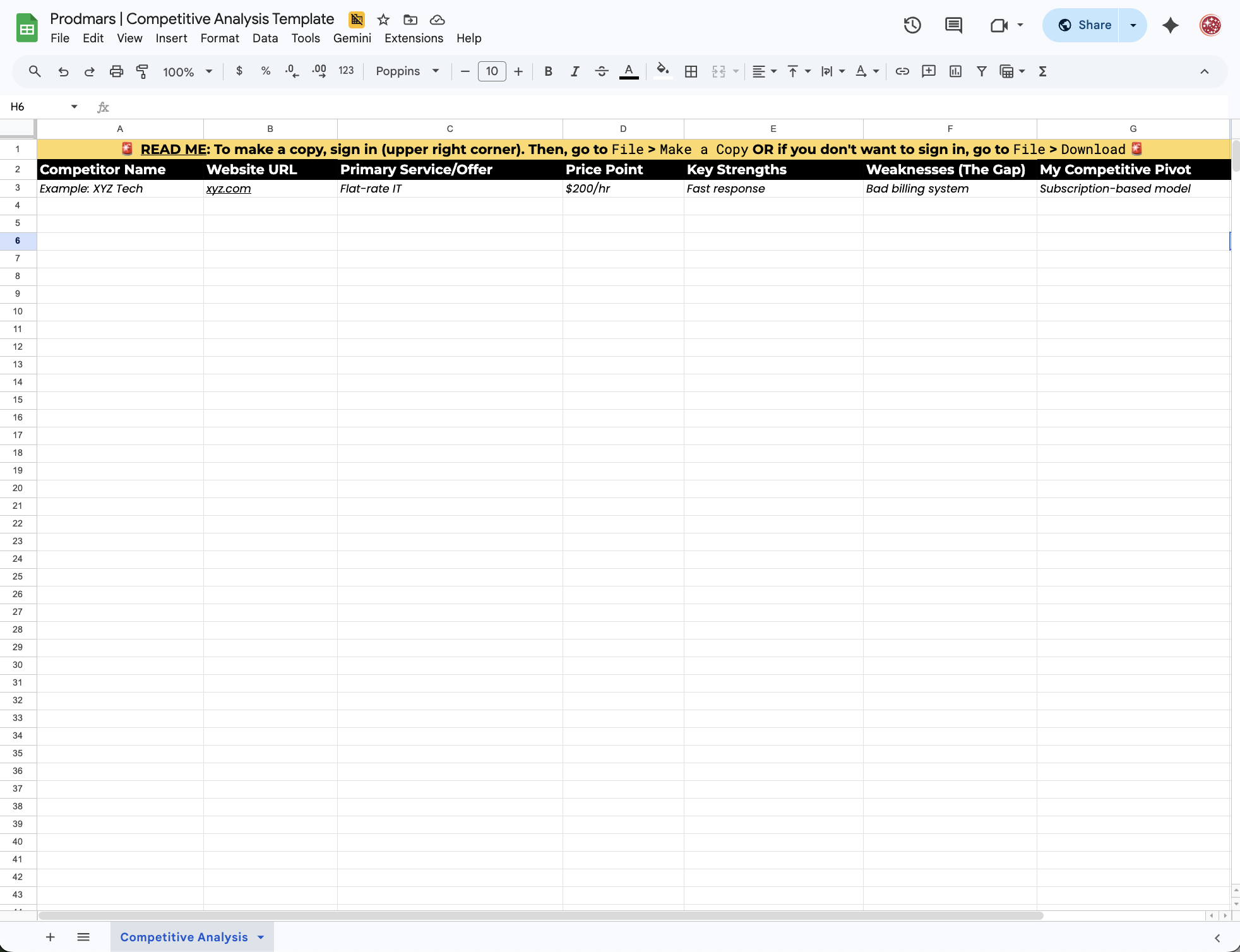

Competitive Analysis Template: Find Your Market Edge
Stop guessing and start positioning. Use this framework to find where your competitors are dropping the ball—and turn their "friction points" into your advantage.
Step 1: Scout the Rivals.
Start by identifying three businesses doing exactly what you do. Look at their websites and their "One-Breath Pitch."

Step 2: Audit the Experience.
Look at their pricing and how they treat customers. Read their reviews to find exactly where they are dropping the ball.

Step 3: Define Your Edge.
Use their weaknesses to build your opportunity. This is where you turn their "bad reviews" into your "market advantage."
How to Audit Like an Expert
Scouting the Basics (Name, Website, Offering)
Start with the easy wins. List their name and website. Use Google Business Profiles to see if they are active in the local map pack. If they aren’t posting updates or responding to reviews, you’ve already found a gap.
Analyzing the Value Gap (Price & Pitch)
Look at their "One-Breath Pitch." Is it clear, or is it corporate fluff? Compare their pricing to yours. This helps you understand if you are competing on Price (being cheaper) or Value (being better).
Technical SEO & Speed Check
Open their site on your phone. If it’s slow or hard to use, that is a "Friction Point." If their digital front door is broken, yours just needs to be easy for you to use to win. We call this Technical SEO—and it’s often the easiest way to jump ahead.
Mining the Reviews for Friction
Read 1-star and 3-star reviews. People usually complain about the same three things: communication, speed, or hidden costs. These are the "Friction Points" you’ll enter into the template.
Identifying Your Market Opportunity
This is where you combine everything. If the rival is slow but expensive, your Opportunity is to be fast and transparent. This turns their weakness into your "market edge." If they are slow, you are fast. If they are vague, you are transparent.
Your Competitive Landscape
Having trouble viewing the template? Click here to open in a new window.